Photo to Video AI
Bring a still photo into motion
Turn one photo into a short AI video. Ask for a blink, a subtle smile, moving fabric or gentle background motion, then review and approve the generation plan.
Open the video Agent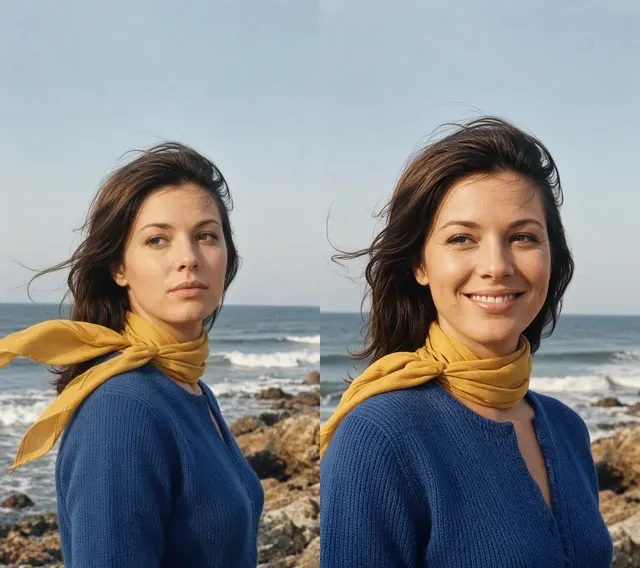
Create your video
Source images
- Photo to animate
Upload one photo
Estimated generation: 20 credits
Credits are used only when generation starts.
One photo, one clear motion
Choose a sharp photo with a clear subject. A portrait with room around the head suits subtle movement; a scene with visible foliage or fabric gives environmental motion a clear target.
Animate the scene, not an uploaded clip
Use photo animation for a portrait keepsake or a moving social post. Start with a restrained action. Details may drift or warp; this is generative motion, not a faithful recording or a video-to-video editor.
How to make your video
1. Choose clear photos
Upload the required photos with a clear subject and an uncluttered background. Use photos you have permission to animate.
2. Describe the movement
Tell the Agent what should move and what should stay still. Keep the action simple; complex movement can distort details.
3. Review and confirm
Read the plan and its credit quote before confirming. Every new generation, including a revised version, needs a new approval.
Example: photos to motion
Illustrative Grok example made from these source photos, not a production-model quality guarantee. Play to see the movement; the still frame alone cannot show it.
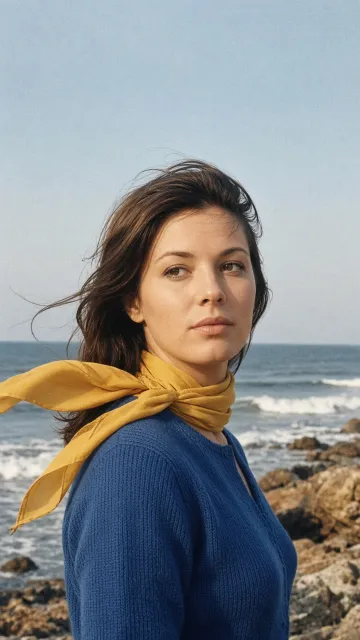
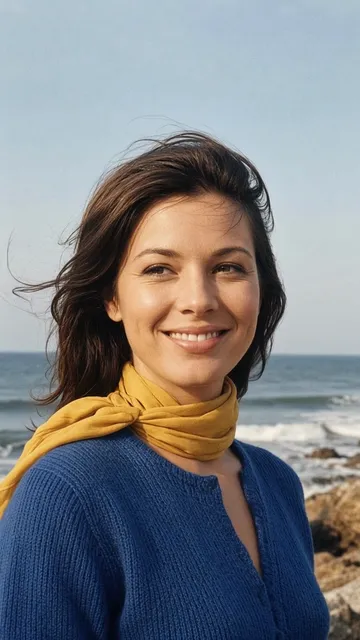
Questions before generating
Can I upload a video to edit?
No. This workflow starts from one still photo and generates a new short video. It does not edit an existing video.
Is generation free?
No. Video generation uses credits. The current server quote is 20 credits per video; you must approve it before generation starts.
Can I revise an existing video?
Describe a new version to the Agent. It generates another video from your original photos and revised instructions, not by editing the MP4. A new quote and approval are required.
Can I control speech or audio?
This tool does not promise speech, lip sync or a particular soundtrack. Describe visual motion rather than relying on audio.